
How to Reorder Custom Branded Apparel in 2026
July 12, 2026

How to Reorder Custom Branded Apparel in 2026
Reordering custom branded apparel is the process of replenishing your existing branded clothing with updated size counts, verified artwork, and accurate timing so your brand stays consistent across every shirt, uniform, and promotional piece. Unlike a first-time order, a reorder builds on what already works. You skip the guesswork on design and focus on getting the details right: quantities, sizing, lead times, and any updates to logos or event information. For small businesses and organizations managing uniforms, event gear, or promotional merchandise, a clean reorder process saves money, protects brand identity, and keeps your team looking sharp.
How to reorder custom branded apparel the right way
The biggest difference between a first-time order and a branded clothing reorder is what you already have. Your design exists. Your vendor knows your brand. The reorder process is about maintaining that foundation while adjusting for new needs, not rebuilding from scratch.
Reorders are ideal times for brand maintenance. Branding experts advise using reorders to refresh logos and event info and optimize stock by dropping slow sellers. That means a reorder is not just a repeat purchase. It is a checkpoint where you can improve your apparel program without starting over.
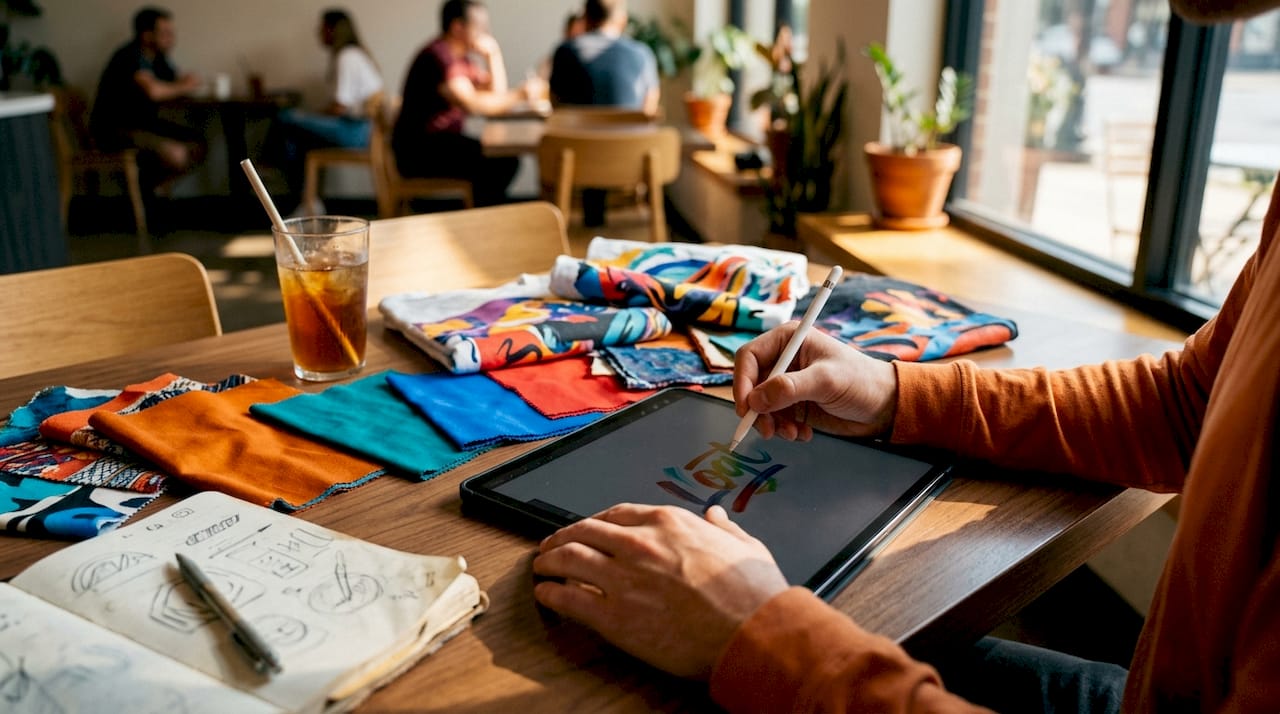
The standard industry term for this process is “apparel replenishment,” though most small business owners simply call it a reorder. Both terms describe the same workflow: reviewing what you have, confirming what you need, and placing an order that matches your brand standards exactly.
What preparation steps do you need before placing a reorder?
Preparation separates a smooth reorder from a costly one. Before you contact your vendor, gather three things: your previous order details, your current artwork files, and your size data.
Review your previous orders and inventory
Pull your last one or two orders and check what sold, what sat on the shelf, and what ran out. Forecasting based on recent demand helps small businesses avoid rush fees and garment shortages, especially for seasonal items. If XL shirts disappeared in two weeks but small sizes are still in a box, your next order should reflect that shift.
Confirm your artwork files
Your artwork must be in vector format, typically an AI, EPS, or PDF file, before you place any order. Raster images like JPEGs lose quality when scaled for screen printing or embroidery. Ask your vendor to confirm they have your current files on record. If your logo has been updated since your last order, send the new version before anything else.
| Preparation item | Why it matters |
|---|---|
| Previous order summary | Shows which sizes and styles moved fastest |
| Vector artwork file | Required for clean screen printing and embroidery output |
| Size and style sales data | Guides accurate quantity forecasting |
| Brand guidelines document | Keeps colors, placement, and logo usage consistent |
| Proof from last order | Confirms placement details and color references |
Pro Tip: Store all brand assets, including artwork files, past proofs, and brand color codes, in a single shared folder your whole team can access. This cuts reorder prep time significantly and prevents the “I can’t find the logo” delay.
The most efficient reorder workflow involves updating size counts rather than re-approving designs every time. This maintains brand consistency and makes onboarding new staff or volunteers much faster. Think of your approved design as a locked template. The only variable you adjust each cycle is quantity by size.
How do you execute the reorder to ensure brand consistency?
Execution is where most reorders go wrong. The design looks fine in your memory, but memory is not a proof. Follow a step-by-step process every time, even when you have ordered the same shirt a dozen times.
The reorder execution checklist
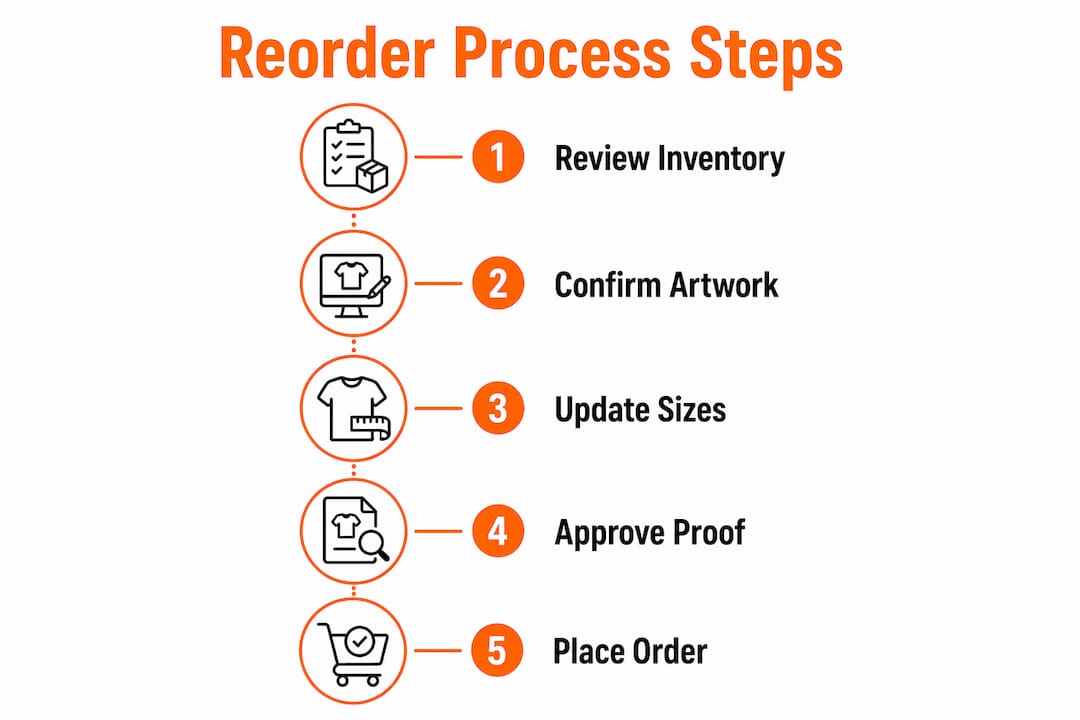
- Confirm quantities by size. Use your sales data and any new headcount changes to set final numbers.
- Verify artwork files with your vendor. Confirm they are working from your most current logo version.
- Review placement and color specs. Check that print location, ink colors, and logo size match your brand guidelines.
- Approve a digital proof. Always approve a proof before production to avoid errors, even when reordering the same design.
- Order a physical sample if switching garments. If you are changing shirt brands, fabric weights, or garment styles, a sample is not optional.
- Communicate changes to your team. If anything is different from the last order, tell your staff before items arrive.
Ordering a physical sample before switching to a new apparel brand or garment style is standard practice to avoid fit issues. Fit and fabric quality vary significantly between manufacturers, even when the style looks identical on a spec sheet. A sample confirms sizing and logo appearance on new materials, preventing problems with employee comfort and print quality before you commit to a full run.
Pro Tip: When you communicate a garment change to your team, include a photo of the sample alongside the previous shirt. Visual comparisons prevent complaints and set clear expectations before delivery.
Working with a vendor like Jam4apparel, which handles screen printing and embroidery in-house, removes one major consistency risk. In-house production means the same equipment, the same ink mixing process, and the same quality checks apply to your reorder as they did to your original order. Outsourced production chains introduce variables that are hard to control.
Brand consistency across corporate apparel depends on more than matching colors. Logo placement, thread count for embroidery, and ink opacity all affect how your brand reads in person. Document these specs after your first successful order and share them with your vendor at every reorder.
When should you time your reorder for events or uniforms?
Timing is the most underestimated part of custom apparel reordering. Order too late and you pay rush fees or miss your event entirely. Order too early and you risk ordering the wrong sizes for staff who have not yet been hired.
Ordering 2–3 weeks before seasonal events is the minimum buffer for standard reorders. For larger quantities or complex decoration methods like embroidery or DTF transfers, four to six weeks is a safer target. Ordering hoodies by early fall or tees in late winter helps meet seasonal demands on time.
| Reorder scenario | Recommended lead time | Risk of waiting |
|---|---|---|
| Standard screen print reorder | 2–3 weeks | Rush fees, limited color options |
| Embroidery or DTF reorder | 4–6 weeks | Longer setup time, garment availability |
| Seasonal event apparel | 4–6 weeks before event | Stockouts, wrong sizes, missed deadline |
| New employee uniform onboarding | 2–3 weeks before start date | Delayed first impressions, morale impact |
| Large bulk branded apparel run | 6–8 weeks | Production queue delays, freight timing |
Align your reorder calendar with your business calendar. If you hire seasonal staff every spring, schedule your uniform reorder in late winter. If you run a fall fundraiser every october, place your event shirt order in august. Building these dates into your annual planning removes the panic that leads to expensive rush orders.
Employee uniform programs benefit most from a fixed reorder schedule. When you treat apparel replenishment as a recurring business task rather than a reactive one, you spend less per unit and maintain tighter brand control.
What are the most common pitfalls in custom apparel reordering?
Most reorder mistakes fall into three categories: ordering the wrong quantities, skipping the proof, and ignoring garment changes. Each one costs money and time.
- Overordering. Overordering ties up budget and storage space. Use your last two orders as a baseline and add a 10–15% buffer, not a full duplicate order.
- Underordering. Running out of a size mid-event or mid-season forces a second order at a higher per-unit cost. Size data from past orders prevents this.
- Skipping proof approval. A proof catches spelling errors, wrong placement, and color mismatches before they are printed on 200 shirts. Never skip it.
- Ignoring updated artwork. If your logo changed after your last order and you do not send the new file, your vendor will print the old one. Always confirm which file version is in production.
- Switching garments without a sample. A different brand of shirt can run a full size smaller or use a different fabric blend. Samples prevent surprises.
- Missing event details. Dates, taglines, and location names on event shirts must be verified at every reorder. A shirt printed with last year’s date is unusable.
Common custom apparel ordering mistakes follow predictable patterns. Recognizing them before you place an order is far cheaper than fixing them after production.
What I’ve learned about reorder planning after years in custom apparel
The businesses that handle reorders best treat them like a system, not an event. They keep a shared folder with their artwork, a size history spreadsheet, and a reorder calendar. When the time comes, they are not scrambling to find a logo or guess at quantities. They already know what they need.
The biggest mistake I see small business owners make is treating every reorder as a fresh start. They re-explain their brand, re-upload artwork, and re-debate sizes they already figured out two orders ago. That wastes time and introduces errors. Lock in your specs after your first successful order. Document them. Share them with your vendor. Then your reorder becomes a simple update, not a full project.
Vendor communication matters more than most owners realize. A vendor who knows your brand, your preferred garment, and your typical quantities can flag problems before they reach production. That relationship is worth protecting. Consistency on your end, meaning clear files, clear quantities, and clear timelines, makes it easy for your vendor to deliver consistent results on theirs.
Proactive reorder planning also protects your brand identity in ways that are hard to measure until something goes wrong. A team wearing mismatched shirts at an event, or a new employee showing up without a uniform, sends a signal you do not want to send. The fix is simple: build reorders into your calendar and treat them as a business priority, not an afterthought.
— Adam
Jam4apparel makes your next branded apparel reorder simple
Jam4apparel handles custom apparel reorders for small businesses, nonprofits, sports teams, and organizations throughout the Chicagoland area. Whether you need bulk screen printing for an upcoming event or embroidered uniforms for a growing team, Jam4apparel’s in-house production keeps your brand consistent from the first order to the tenth.
Jam4apparel stores your artwork, tracks your past orders, and walks you through proof approval every time so nothing slips through. From industry-specific apparel solutions for restaurants, schools, and corporate teams to one-off event shirts, the team at Jam4apparel is built for reorders that need to be right the first time. Reach out to get your next reorder started with a vendor who already knows your brand.
FAQ
What is the difference between a first order and a reorder?
A reorder uses your existing approved design and focuses on updating quantities and sizes rather than rebuilding the artwork from scratch. The process is faster and less expensive than a first-time order when your files and specs are already on record.
How far in advance should I reorder custom branded apparel?
Order at least 2–3 weeks before your deadline for standard screen print reorders, and 4–6 weeks for embroidery, DTF transfers, or large bulk runs. Seasonal event apparel should be ordered 4–6 weeks before the event date to avoid rush fees and stockouts.
Do I need to approve a proof even for a repeat reorder?
Always approve a proof before production, even when reordering the same design. Proofs catch errors in placement, color, and spelling that can appear when files are updated or production settings change.
What should I do if I want to switch to a different shirt brand?
Order a physical sample of the new garment before placing a full reorder. Fit, fabric weight, and sizing vary between manufacturers, and a sample confirms how your logo looks and how the shirt fits before you commit to a bulk run.
How do I avoid overordering or underordering on a reorder?
Use your last one or two orders as a baseline for size and quantity forecasting. Add a 10–15% buffer for unexpected demand, and drop slow-moving sizes or styles that consistently go unsold.
Key takeaways
Consistent reorder execution is the single most effective way to protect your brand identity and control apparel costs across every order cycle.
| Point | Details |
|---|---|
| Prepare before you order | Gather past order data, vector artwork files, and size history before contacting your vendor. |
| Always approve a proof | Review a digital proof at every reorder to catch placement, color, and spelling errors before production. |
| Sample before switching garments | Order a physical sample when changing shirt brands or styles to confirm fit and logo appearance. |
| Time reorders early | Place standard reorders 2–3 weeks out and embroidery or bulk orders 4–6 weeks before your deadline. |
| Use reorders to refresh your brand | Update logos, event details, and drop slow-moving styles each cycle to keep your inventory current. |
Recommended
Ready to print your design?
Screen print, embroidery, and DTF — no minimums on many styles.