Digital Screen Printing vs. Screen Printing: Full Guide
August 3, 2026
Digital Screen Printing vs. Screen Printing: Full Guide
For short runs and photo-quality designs, go digital (DTG or DTF). For large runs with bold spot colors, screen printing wins on cost and durability. Most buyers land in one of three situations:
- Under 24 pieces or a photorealistic design — digital printing (DTG or DTF) is almost always the better call.
- 48+ pieces with 1–4 solid colors — screen printing’s setup cost spreads out, and per-unit price drops fast.
- Polyester, performance fabric, or all-over coverage — dye-sublimation or DTF beats both DTG and standard screen printing on those substrates.
That’s the short version. The rest of this guide explains the why behind each rule, what the cost crossover actually looks like, and how to avoid the mistakes that turn a good-looking proof into a faded shirt after six washes.
Table of Contents
- What does “digital printing” actually mean for apparel?
- Why screen printing is still the default for bulk and specialty jobs
- How do digital and screen printing compare side by side?
- Which projects actually call for each method?
- How to choose a printing method without making costly mistakes
- How durable are digital prints compared to screen printing in real use?
- What do industry groups say about digital vs. screen printing?
- Final recommendation for U.S. apparel buyers
- Maintenance and troubleshooting common issues in digital screen printing
- Key Takeaways
- The part buyers rarely think to ask about
- Jam4apparel makes it easy to get the right print for your order
- Useful sources
What does “digital printing” actually mean for apparel?
The phrase “digital screen printing” gets used loosely in the industry. Technically, it describes hybrid workflows that combine automatic screen stations with CMYK digital printheads, letting printers add variable data and complex imagery while keeping the throughput of a screen press. In everyday buyer conversations, though, “digital printing” usually means one of three distinct methods.
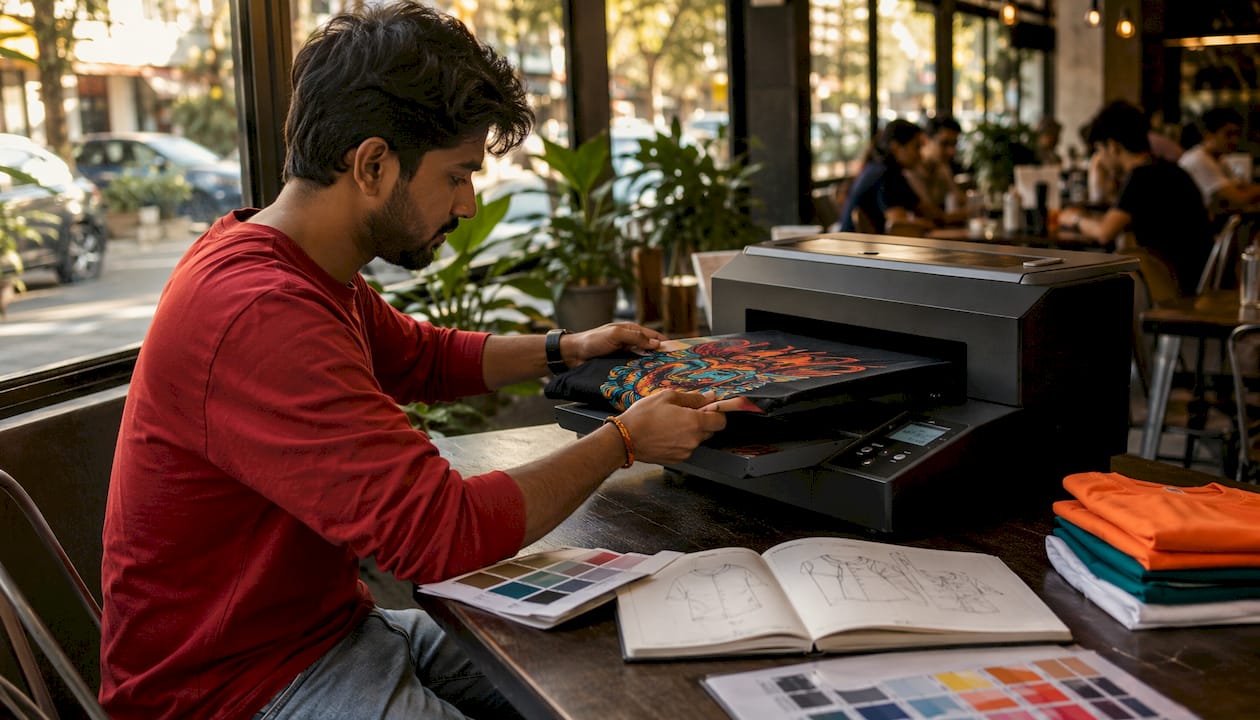
Direct-to-garment (DTG) jets water-based ink straight onto fabric, the same way a desktop inkjet prints on paper. No screens, no films, no per-color setup fees. The printer reads your file and lays down the full image in one pass. DTG handles photorealistic art, gradients, and hundreds of colors without any extra cost per color.
Direct-to-film (DTF) prints your design onto a PET film, applies a hot-melt adhesive powder, and heat-transfers the finished film onto the garment. It works on cotton, polyester, nylon, and most blends. Jam4apparel’s DTF service runs with no minimums, which makes it practical for single pieces or mixed-size runs.
Dye-sublimation converts ink into gas under heat and pressure, bonding it permanently into polyester fibers. The result is a print that won’t crack or peel because it’s part of the fabric. The catch: it only works on white or light polyester. Cotton and dark garments are off the table.
Pros and cons buyers need to know
- No per-color setup cost — you pay the same whether your design has 2 colors or 22.
- Photorealistic detail — gradients, skin tones, and fine linework print cleanly.
- Low minimums — one piece is as easy as 50 for DTG and DTF.
- Higher per-piece cost at volume — digital doesn’t get cheaper as quantity grows the way screen printing does.
- Substrate limits — DTG needs pre-treated, high-cotton garments for best results; sublimation is polyester-only.
- Durability caveats — standard DTG on dark shirts can fade faster than plastisol screen ink without proper pre-treatment and post-cure.
One-sentence rule for each method: Pick DTG when you need photographic detail on cotton in small quantities; pick DTF when you need flexibility across fabric types or truly no minimum; pick sublimation when you want all-over coverage on white polyester.
Why screen printing is still the default for bulk and specialty jobs
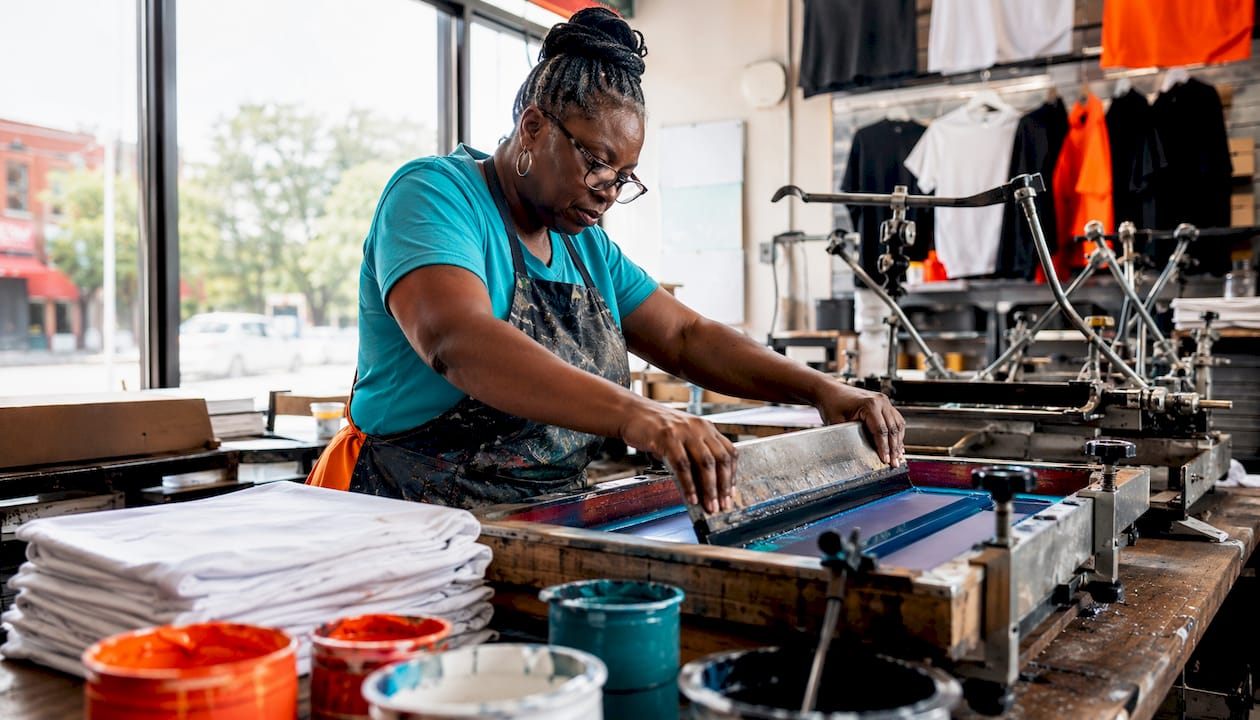
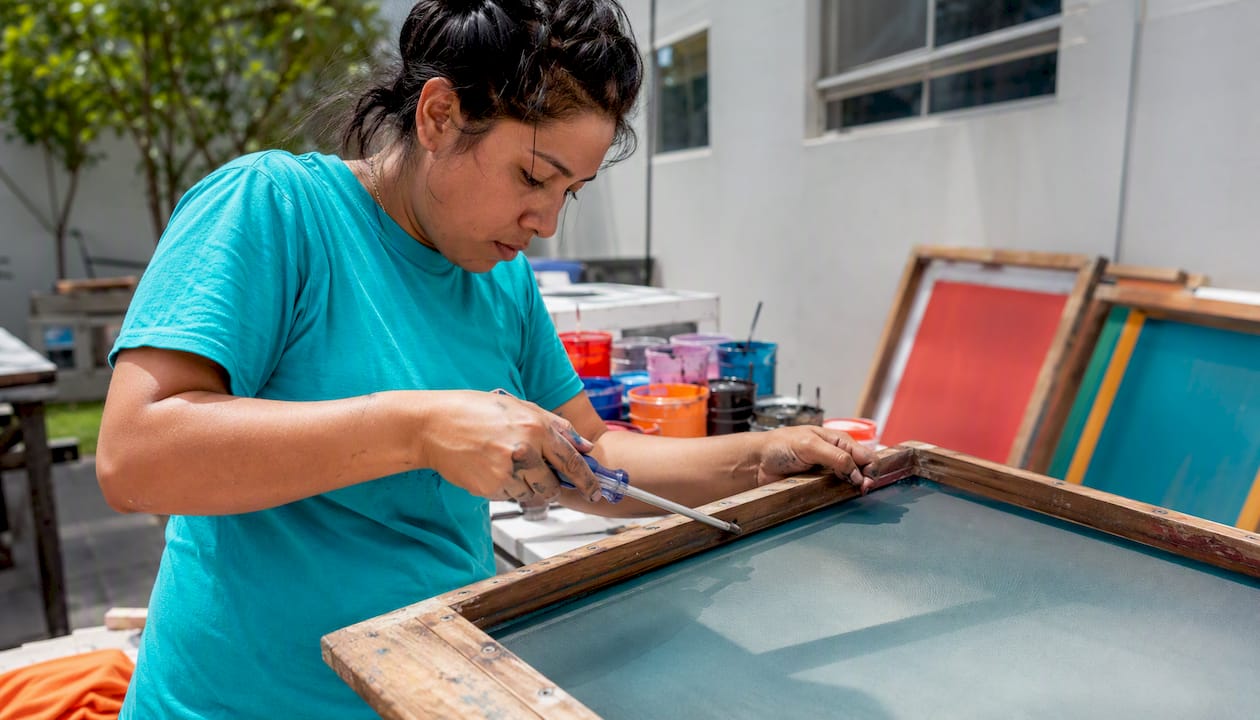
Screen printing forces ink through a mesh stencil stretched over a frame. Each color in your design gets its own screen. A squeegee pushes ink through the open mesh areas onto the garment, and the piece runs through a conveyor dryer to cure the ink. That’s the whole process, and it hasn’t changed fundamentally in decades because it works.
The screen printing process produces a thick ink deposit that sits on top of the fabric. That thickness is what gives screen-printed shirts their tactile feel and why the colors stay vivid after dozens of washes. Professional printers control detail and opacity through mesh count and squeegee angle — a finer mesh (higher thread count) holds sharper detail, while a coarser mesh lays down more ink for opacity on dark garments. According to Avient’s technical print guide, squeegee technique and mesh selection are among the most critical variables for durable ink films.
What screen printing does that digital can’t easily replicate
- Specialty inks — metallic, puff (raised), glow-in-the-dark, and reflective inks require screen application; no digital method matches them.
- High opacity on dark garments — thick plastisol layers cover black fabric cleanly without the pre-treatment DTG requires.
- Low per-unit cost at scale — once screens are made, running 500 shirts costs only a fraction more than running 100.
- Broad substrate compatibility — cotton, polyester, nylon, canvas, wood, and promotional hard goods all accept screen ink.
The real cons
Setup takes time and money. Each screen requires a setup fee to burn, and most shops charge a setup fee per color. A four-color design might carry substantial setup costs before a single shirt is printed. That’s fine spread across 500 pieces; it’s painful on 12. Color count is also a practical ceiling: reproducing a full-color photograph through separate screens is technically possible but expensive and rarely worth it compared to DTG.
Statistic callout: Screen printing is the economical default for high-volume runs because the upfront setup cost amortizes across many pieces, producing a low per-unit price and a thick, durable ink deposit that outlasts most digital alternatives at scale.
Pro Tip: If your design uses more than six spot colors, get a DTG quote alongside your screen quote. At that color count, the setup savings from screen printing can disappear, and digital may actually cost less per piece even at moderate quantities.
How do digital and screen printing compare side by side?
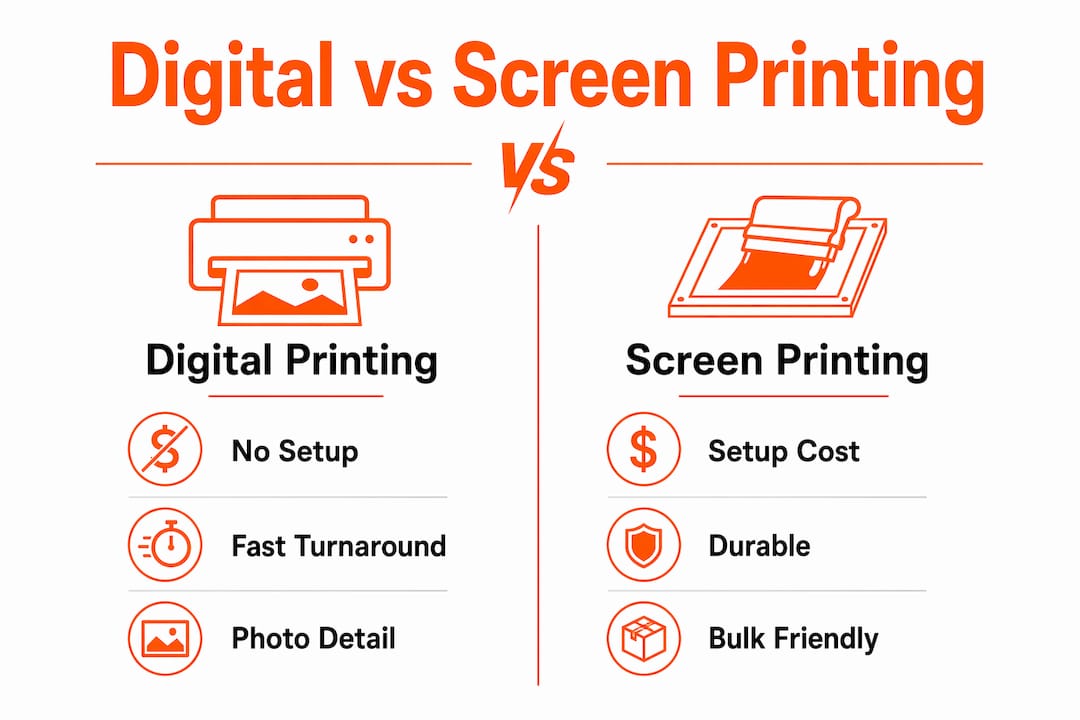
The cost crossover between digital and screen printing depends on both piece count and color complexity. Simple one- or two-color designs can hit cost parity around 24 pieces, while complex multi-color art pushes that crossover higher. Here’s how the two methods stack up across the dimensions that actually drive buying decisions.
| Dimension | Digital (DTG/DTF) | Screen Printing |
|---|---|---|
| Setup cost | None (or minimal for DTF film) | $20–$50 per screen/color |
| Minimum order | 1 piece (DTF/DTG) | Typically 12–24 pieces |
| Per-unit cost | Higher; flat regardless of quantity | Drops sharply with volume |
| Cost sweet spot | 1–48 pieces | 48+ pieces |
| Lead time | 3–7 business days typical | 7–14 days (screens add time) |
| Color accuracy | Excellent for photos; CMYK process | Pantone-matched spot colors |
| Specialty inks | Limited | Metallic, puff, glow, reflective |
| Design complexity | Photorealistic, unlimited colors | Best for 1–6 solid colors |
| Durability | Good; improved with modern inks | Excellent; thick plastisol deposit |
| Substrate range | Cotton/blends (DTG); most fabrics (DTF) | Nearly universal |
| Best for | Short runs, photos, on-demand | Bulk, uniforms, specialty effects |
| Environmental | Less chemical waste on short runs | Screen chemicals; less waste at scale |
Per-dimension notes
Cost and volume: Digital has no setup, so it wins on small orders. Screen printing’s per-unit price falls fast after the setup is covered. For a 4-color design on 100 shirts, screen printing is almost always cheaper. For 12 shirts with the same design, digital usually wins.
Speed: Digital skips screen production, so turnaround is shorter. Screen printing adds 1–3 days for film output and screen burning before press time even starts.
Color accuracy: Screen printing matches Pantone colors exactly because you’re mixing ink to spec. Digital printing works in CMYK and can approximate Pantone shades, but exact brand-color matching is more reliable with screen ink.
Durability: Screen-printed plastisol is hard to beat for long-term wear. Modern UV-cure digital inks and DTF adhesives have closed the gap considerably, but high-wash workwear and uniforms still favor screen printing.
Environmental: Digital methods reduce waste on short runs by eliminating the screen-making step and its associated chemicals. Screen printing becomes more resource-efficient per piece at high volumes.
Pick digital when: you need fewer than 48 pieces, your design has photographic detail or gradients, or you need mixed sizes/names on each piece.
Pick screen when: you’re ordering 48 or more pieces, your design uses solid spot colors, you need specialty ink effects, or long-term durability is non-negotiable.
Which projects actually call for each method?
Knowing the theory is one thing. Here’s how it plays out on real orders.
- Event T-shirts, 25–50 pieces, full-color logo: DTG or DTF. Setup fees for screen printing eat the budget, and the color complexity favors digital. For custom event shirts with tight deadlines, DTF is often the fastest path.
- Team uniforms, 72+ pieces, 2-color design: Screen printing. The setup cost is trivial at that quantity, and plastisol holds up through a full season of washing.
- Promotional giveaways (pens, bags, hard goods): Screen printing handles most promotional substrates. DTF works on fabric bags and soft goods.
- Spirit wear store with variable names/numbers: DTF or DTG. Each piece is different, so screens are useless. No-minimum DTF is built for exactly this.
- All-over print hoodies: Sublimation (white polyester) or cut-and-sew DTF panels. Standard screen printing can’t cover seams.
- Workwear with reflective safety elements: Screen printing with reflective ink. No digital method replicates true retroreflective screen ink.
Two concrete order comparisons
50 event shirts vs. 500 team uniforms: For the 50-piece event run with a four-color photo design, DTG wins on both cost and quality. For the 500-piece uniform run with a two-color logo, screen printing costs less per shirt and the ink will outlast the garment.
12 custom hoodies with individual names vs. 144 matching hoodies: The 12-piece personalized run goes DTF, no question. The 144-piece matching run goes screen printing, where the per-unit price drops to a fraction of digital.
When to use both methods on the same program
Hybrid workflows make sense more often than buyers expect. A school spirit store might screen-print the base design on a large batch, then use DTF to add individual names or numbers. A brand launch might screen-print 500 standard shirts and DTG a handful of limited-edition photo tees. Mixing methods lets you hit the cost sweet spot for each part of the order rather than forcing everything through one process.
How to choose a printing method without making costly mistakes
Work through this checklist before you contact any printer.
- Confirm your quantity — know your exact piece count, not a range. Pricing changes significantly at common thresholds (24, 48, 72, 144 pieces).
- Count your colors — open your art file and count distinct ink colors. More than six usually tips toward digital.
- Specify your garment — fabric content (cotton, poly, blend), color, and weight all affect which method works and what pre-treatment is needed.
- Define your durability requirement — daily workwear needs more than a one-time event shirt. Tell the printer how many washes you expect.
- Request a proof before approval — never approve a job from a digital mock-up alone. Ask for a physical sample or press proof.
- Confirm your deadline — screen printing needs more lead time. If you need shirts in five business days, digital is likely your only option.
Questions to ask your printer
- What ink system do you use (plastisol, water-based, discharge)?
- Can you match my Pantone color, and what’s the tolerance?
- Do you offer wash-test samples before the full run?
- What are your minimums and setup fees per color?
- What’s your standard lead time, and what’s the rush fee?
- Is curing done in-house, or is it outsourced?
- How do you handle reprints if colors are off?
Red flags that predict problems
- No physical sample or wash test available before the full run.
- Vague ink specs (“we use good ink”) with no mention of brand or chemistry.
- Setup fees that aren’t itemized per color.
- No in-house curing — outsourced curing adds time and removes quality control.
- Turnaround promises that don’t account for screen production time.
Realistic timelines: digital runs (DTG/DTF) typically ship in 3–7 business days. Screen printing runs typically need 7–14 business days, with rush options at a premium.
Pro Tip: Request a single wash-test sample before committing to a full run. Wash it five times in warm water and check for cracking, fading, or dye migration. A printer who won’t provide one is telling you something about their confidence in the product.
How durable are digital prints compared to screen printing in real use?
Screen-printed plastisol is the durability benchmark. The ink sits on top of the fabric in a thick, flexible layer that resists cracking and fading through repeated washing. Modern digital inks and DTF adhesives have narrowed that gap significantly, and UV-cure digital output with a protective overcoat can hold up in many high-wear applications that once required screen printing exclusively.
Washing and care for printed garments
- Wash inside-out in cold or warm water (under 105°F).
- Use a mild detergent; avoid bleach and fabric softeners on printed areas.
- Tumble dry on low heat or hang dry. High heat accelerates cracking on both digital and screen prints.
- Do not iron directly on the print. Iron inside-out or use a pressing cloth.
- For DTF transfers, avoid dry cleaning solvents.
How to run a simple wash test
Wash the sample five times using your normal laundry routine. After each wash, check for: ink cracking or peeling (common failure mode for under-cured screen ink or poorly bonded DTF), color fading (more common with DTG on dark garments without proper pre-treatment), and dye migration (a sublimation-specific issue where dye bleeds into adjacent colors on polyester).
If a print fails any of those checks before wash five, it will fail in the field. Send it back.
Statistic callout: Modern UV-cure and improved digital inks have narrowed the durability gap between digital and screen printing, making digital viable for many outdoor or high-wear applications when paired with protective overcoats or laminates.
What do industry groups say about digital vs. screen printing?
FESPA and other trade organizations are consistent on one point: no single method is universally superior. The right choice depends on run size, color count, substrate, and end-use. That’s not a hedge; it’s the actual answer. A shop that tells you one method is always better is optimizing for their equipment, not your order.
Environmental trade-offs
Digital printing advantages:
- No screen-making chemicals (emulsion, solvent strippers).
- Less ink waste on short runs; ink is deposited only where needed.
- Fewer consumables per job on small orders.
Screen printing advantages:
- More energy-efficient per piece at high volumes.
- Plastisol ink systems are well-understood and recoverable.
- Less energy consumed per unit when a single screen run produces thousands of pieces.
The honest picture: Neither method is clean. DTG pre-treatment chemicals and DTF adhesive powders carry their own environmental footprint. Screen printing’s chemical use is front-loaded in screen prep. At high volumes, screen printing’s per-piece environmental cost is lower. At low volumes, digital wins.
Jam4apparel runs in-house DTF, DTG, and screen printing, which means the shop can match the method to the order rather than defaulting to whatever equipment is available. That flexibility supports better production decisions and less waste on mixed-volume programs.
Final recommendation for U.S. apparel buyers
The decision comes down to three numbers: quantity, color count, and wash expectation. Under 48 pieces or over six colors, digital (DTG or DTF) is usually the right call. Over 48 pieces with a clean spot-color design, screen printing delivers better durability and lower per-unit cost. When you need specialty effects — metallic, puff, reflective — screen printing is the only real option.
Jam4apparel handles both processes in-house at its Lake in the Hills, Illinois facility. That means you can get a custom screen printing quote and a DTF quote on the same order and compare them directly, without bouncing between vendors. Wash-test samples are available before full-run approval.
To get a fast, accurate quote, have these ready:
- Art file (vector preferred: AI, EPS, or high-res PDF)
- Garment style, color, and fabric content
- Exact quantity and size breakdown
- Color count and any Pantone references
- Deadline
Maintenance and troubleshooting common issues in digital screen printing
Digital and screen printing equipment both require consistent maintenance to stay print-ready. Skipping it is how you end up with banding, color shifts, and adhesion failures mid-run.
DTG and DTF printer maintenance
DTG printheads clog when ink dries in the nozzle channels, especially if the machine sits idle. Most modern DTG printers run automatic head-cleaning cycles, but manual purges are needed after extended downtime. White ink is the biggest culprit: it settles and clogs faster than CMYK. Shake white ink cartridges daily and run a nozzle check before every production session.
DTF printers share similar printhead concerns but add a powder shaker and curing oven to the maintenance list. The adhesive powder must be applied evenly; uneven powder distribution causes weak adhesion spots that peel after washing. Clean the shaker tray and oven conveyor weekly to prevent powder buildup and uneven heat distribution.
Screen printing press maintenance
Screens must be reclaimed promptly after a run. Dried ink in the mesh is difficult to remove and can ghost into the next job. Use the correct emulsion remover for your ink system (solvent-based for plastisol, water-based for discharge). Inspect mesh tension before each job; a loose screen causes dot gain and registration drift.
Squeegee blades wear and develop nicks over time. A nicked blade leaves streaks in the ink deposit. Check blade edges before long runs and replace them on a regular schedule rather than waiting for visible print defects.
Common troubleshooting scenarios
Cracking ink on screen prints: Almost always under-cure. Check conveyor belt speed and oven temperature with a donut probe thermometer. Plastisol needs to reach 320°F throughout the ink film to cure fully.
DTG prints fading after a few washes: Pre-treatment is the likely culprit. Dark garments need an even, properly dried pre-treatment layer for ink adhesion. Uneven application or insufficient drying before printing causes patchy adhesion and early fade.
DTF transfers peeling at edges: The press temperature or dwell time is off, or the garment fabric has a coating that resists adhesion. Test on a scrap piece first and adjust heat press settings (typically 320–330°F for 10–15 seconds with medium pressure).
Color registration drift on screen press: Check screen tension, off-contact distance, and pallet adhesive. A pallet that doesn’t hold the shirt flat causes the garment to shift between colors.
Key Takeaways
Screen printing wins on cost and durability for bulk spot-color orders; digital printing (DTG or DTF) wins on flexibility, detail, and low minimums for short or complex runs.
| Point | Details |
|---|---|
| Quantity threshold | Under 48 pieces, digital is usually cheaper; over 48 with spot colors, screen printing costs less per unit. |
| Color complexity rule | More than six colors or photorealistic art tips the decision toward digital regardless of quantity. |
| Durability standard | Screen-printed plastisol remains the durability benchmark; modern DTF and UV-cure digital inks have narrowed the gap for most applications. |
| Hybrid strategy | Combining both methods on one program (bulk screen base + DTF for names/numbers) often delivers the best cost and quality outcome. |
| Jam4apparel option | Jam4apparel runs in-house screen printing, DTF, and DTG in Lake in the Hills, IL, with wash-test samples available before full-run approval. |
The part buyers rarely think to ask about
Most buyers come in knowing what they want printed and on what garment. What they rarely think about is the artwork. A low-resolution logo that looks fine on a website will look terrible on a shirt, and no printing method fixes a bad file. The single most common reason a job gets delayed or reprinted is artwork that wasn’t prepared for the process.
For screen printing, that means vector files with separated spot colors and no embedded raster effects. For DTG and DTF, it means a high-resolution PNG or PDF with a transparent background. Sending a JPEG screenshot of your logo is not a file; it’s a problem.
The second thing buyers overlook is the underbase. On dark garments, screen printing requires a white underbase layer printed first so subsequent colors read true. Skip the underbase and your red prints brown on a black shirt. Specifying the underbase upfront avoids a surprise color count and a surprise setup fee.
One order that comes up regularly: a customer wants 36 shirts in six different sizes, four colors, on a black garment, with a tight one-week deadline. The right answer is DTF, not screen printing. Screen setup time alone would eat most of that week, and the small quantity doesn’t justify four screens. DTF delivers the same four-color result with no setup fees and ships in three to four days. Knowing which process fits the order before the customer asks is what in-house production actually means.
Jam4apparel makes it easy to get the right print for your order
Choosing between screen printing and digital printing shouldn’t require a degree in ink chemistry. Jam4apparel’s in-house team in Lake in the Hills, Illinois handles custom screen printing, DTF transfers, and embroidery under one roof, which means you get a straight answer on which method fits your order, not a sales pitch for whatever machine is available.
Fast quotes, competitive bulk pricing, and wash-test samples before full-run approval. Whether you’re ordering 12 event shirts or 1,200 team uniforms, the process starts the same way: send your art file, garment preference, quantity, and deadline to Jam4apparel and get a proof within one business day. No minimums on DTF. Bulk pricing on screen printing. One shop, both methods.
Useful sources
Selected for industry authority, technical accuracy, and U.S.-market relevance. Sources marked with an organization name are trade bodies or technical publishers; Jam4apparel references reflect in-house process documentation.
- FESPA: Screen printing or digital printing? — Trade association guidance on matching method to application and price point.
- TEC Graphics: Screen Printing vs Digital Printing for Industry — Technical comparison covering cost crossover, durability, and ink chemistry.
- Avient Specialty Inks: Print Technique Guide — Professional manual covering squeegee technique, mesh selection, and ink film durability.
- Wikipedia: Direct to garment printing — Background on DTG technology and process mechanics.
- Wikipedia: Screen printing — Overview of screen printing history, hybrid workflows, and substrate applications.
- MOP: Screen printing vs digital printing — Environmental and waste comparison for short vs. long runs.
- Jam4apparel: Screen Printing Process Explained — In-house process documentation for small business buyers.
- Jam4apparel: DTF vs Screen Printing 2026 Buyer’s Guide — U.S.-market comparison with practical ordering guidance.
Recommended
Ready to print your design?
Screen print, embroidery, and DTF — no minimums on many styles.